When you add a User (either individual or bulk upload) you are presented with the option Use ‘Teams Voicemail’ in Teams.

If you choose No, this will change the Call answer rules in Teams Voicemail from ‘Let the caller record a message’ to ‘End the call without a greeting’.

User will also have the option of Disabling Voicemail at the User level.
Instructions on How User Can Disable Voicemail at the User Level
In Microsoft Teams, click on your User Profile avatar.

Select Settings.

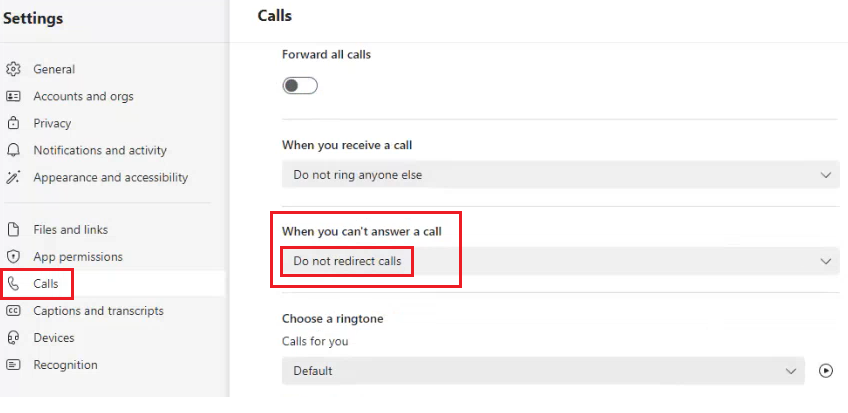
Select Calls.

Navigate to the If unanswered dropdown and select ‘Do Nothing’.

For New Teams, navigate to Calls then set When you can't answer a call to ‘Do not redirect calls’.
Note
If you, the Enterprise Admin, have chosen No for ‘Use Teams Voicemail’, a Teams User can override the setting in Teams by setting ‘If unanswered dropdown’ to ‘Voicemail’.